
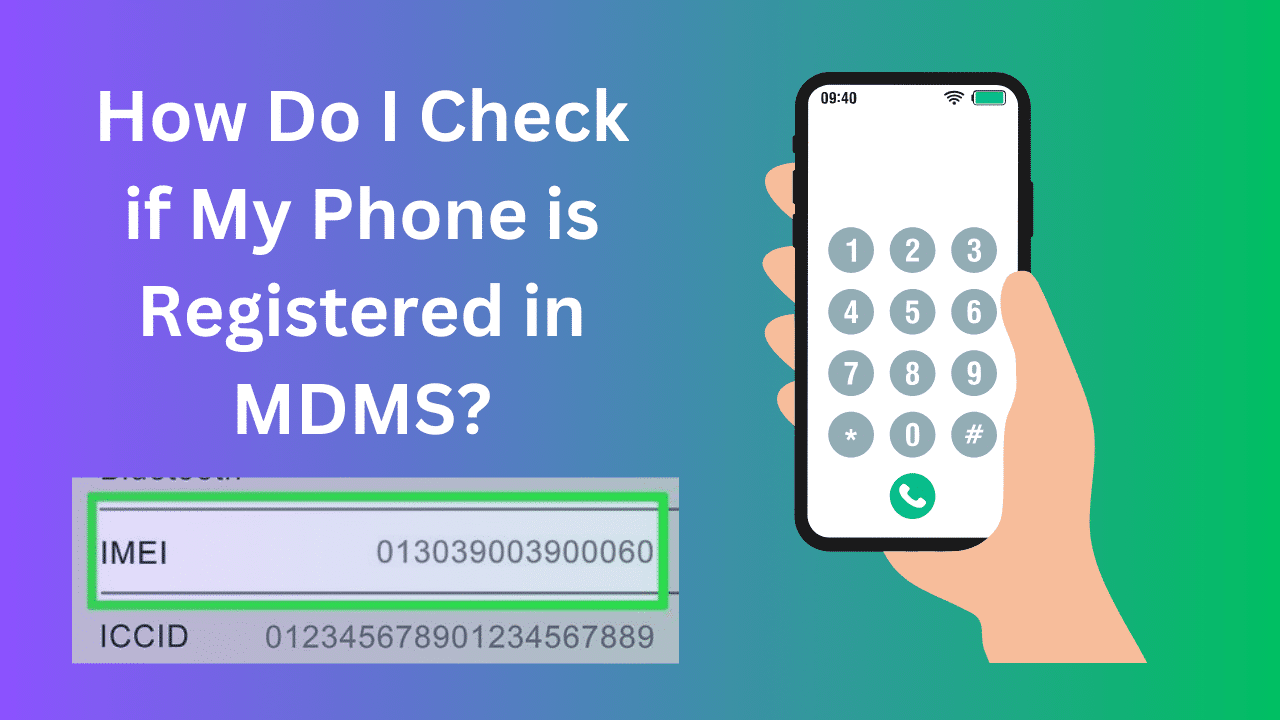

Do You Want to Check if Your Phone is registered in Nepal’s MDMS? Lots of people wonder: – how do I check if my phone is registered with Nepal’s Mobile Device Management System (MDMS)? Well, it’s easy! And it’s important too – so your phone service isn’t stopped.
What is Nepal’s MDMS?
MDMS keeps track of all phones imported into Nepal. It records the identification numbers of every device. If your phone isn’t registered properly, bad things might happen:
- It may be considered illegal or unlawfully brought into the country
- Networks could block unregistered phones from service
- Stops stolen or sketchy phones from being misused
- Harder to track lost phones if not in the system
How to Find Your Phone’s Identification Number
You need the phone’s IMEI number – that’s a unique 15-digit code for each device. Here’s how to find it on your phone:

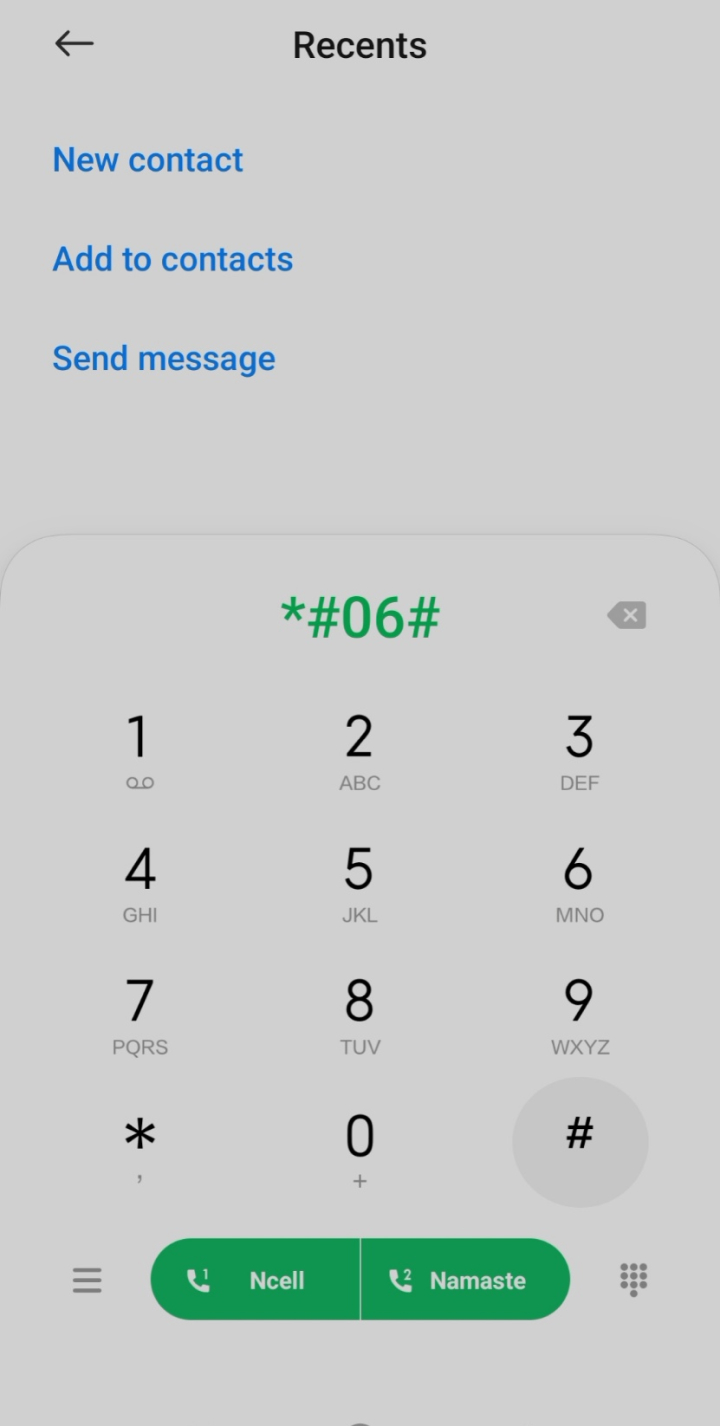
1. Open the dialer on your mobile and dial Dial *#06#
2. You will see the IMEI number.
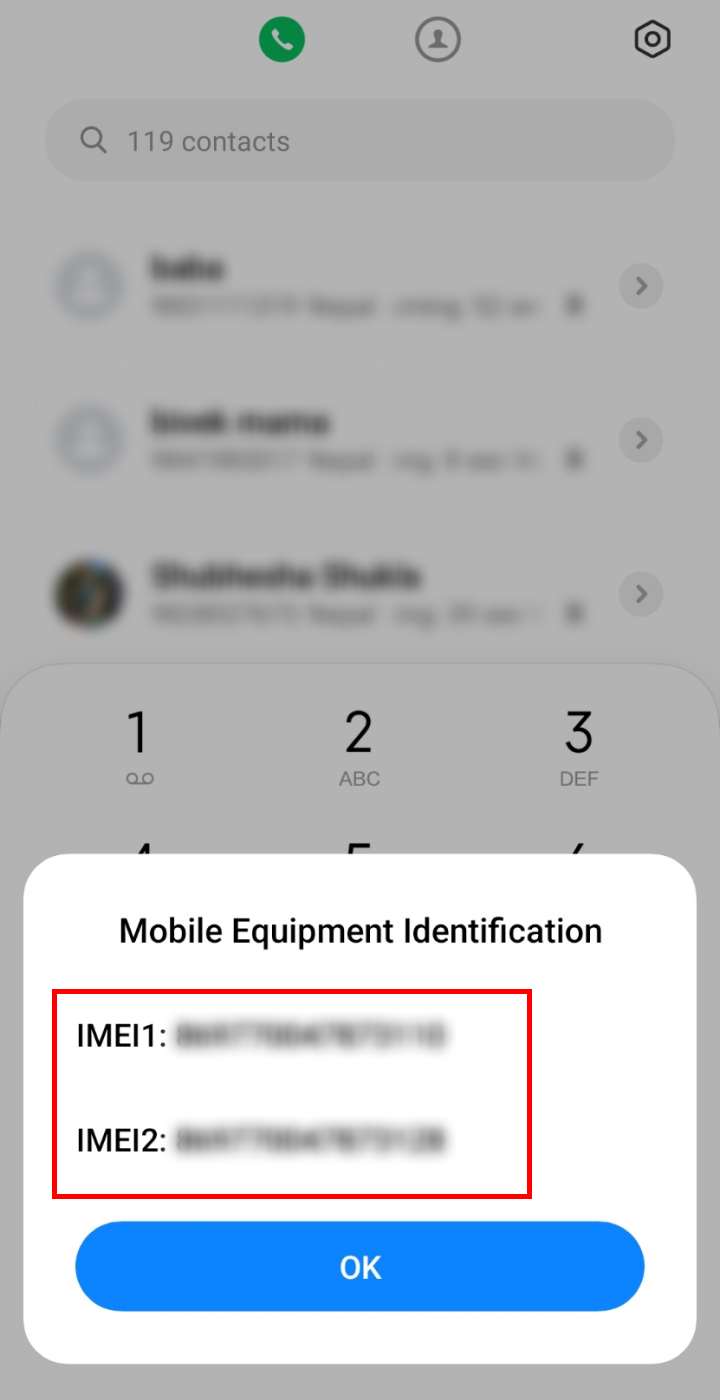
So, you can follow the steps given above to know your IMEI number. You can also find the IMEI number from Google by going to Find My Device.
How to Check if Your Phone is Registered in Nepal’s MDMS System
It’s easy to verify if your phone is properly registered with Nepal’s Mobile Device Management System (MDMS) right from your home. The process works for both old and new phones. Follow our guide to check IMEI in MDMS in just a few simple steps:
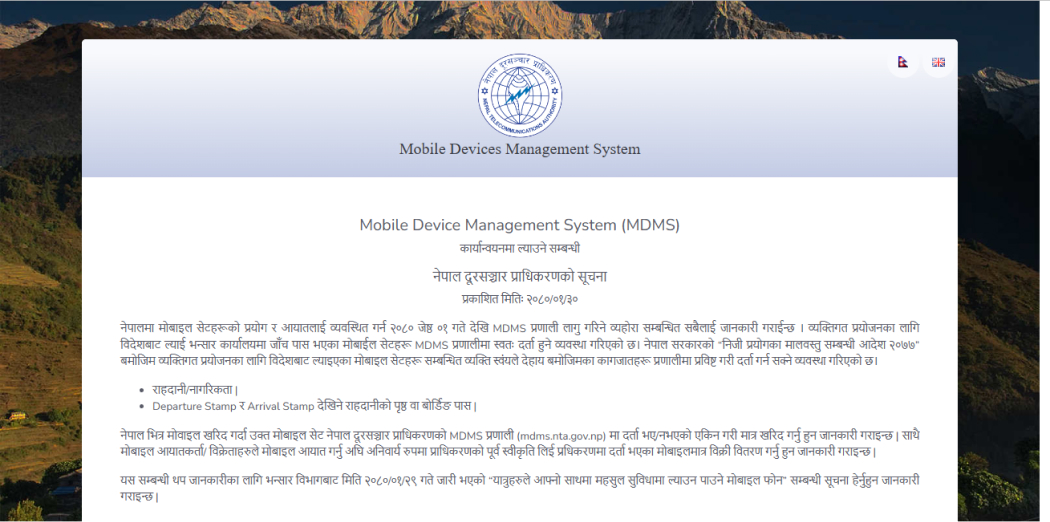
1. Open the MDMS Website
Go to the official MDMS website run by Nepal Telecommunications Authority (NTA) and open it in your preferred browser. The direct link is:
2. Enter a 15-digit IMEI Number
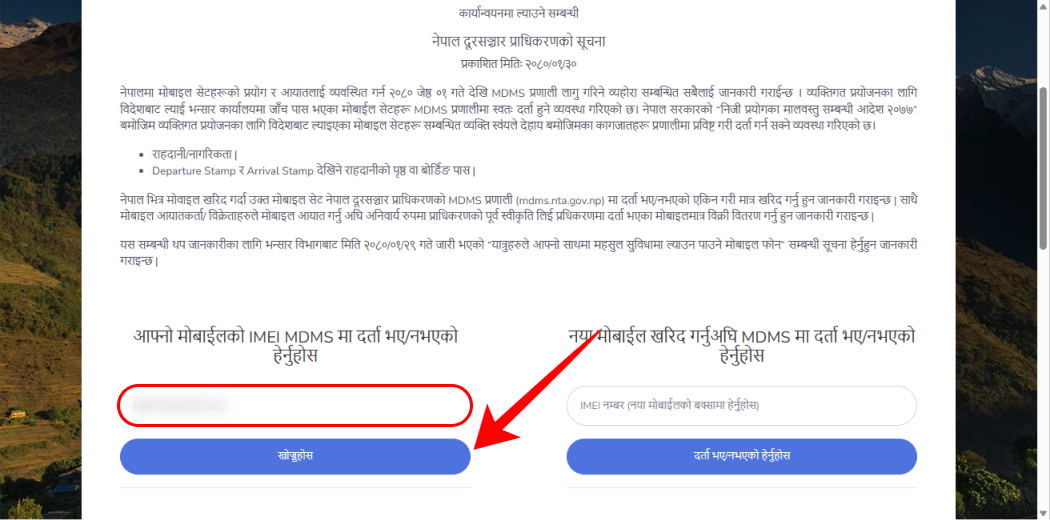
Scroll down and locate the search bar. Type in the unique 15-digit IMEI number of your phone. If you do not know the IMEI, dial *#06# on your phone keypad to find it.
3. Click on ‘Search’
Once you have entered the IMEI code, hit the ‘Search’ button.
4. Check Registration Status
You will now see if your device is registered with the system or not. A confirmation message is displayed.
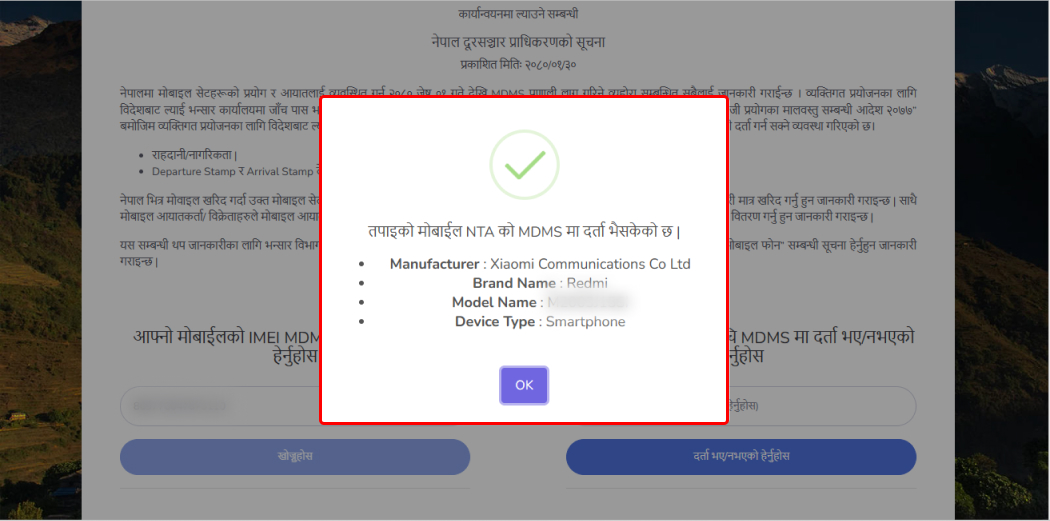
This same process also works to verify if a new phone is compliant and registered with MDMS before buying it. Simply get the IMEI from the seller and validate it.
How to Register Your Phone in Nepal’s MDMS
If your search shows that your phone is not registered properly, you should register it right away. Here is the full process:
1. Open MDMS Grey Page
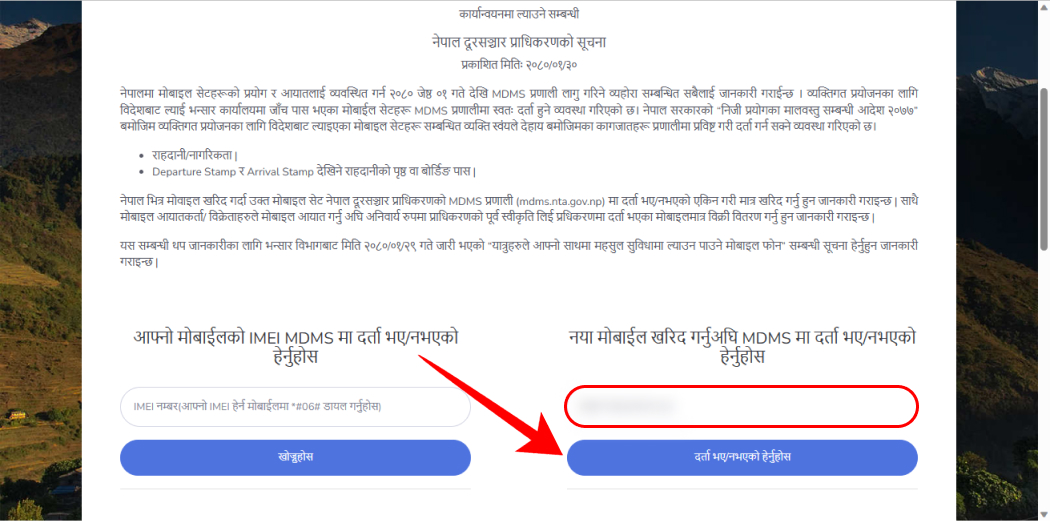
Use this link for the Grey Page, where unregistered devices can submit registration: Click Here
2. Enter Details
Fill in the IMEI plus the required personal and contact details like name, address, etc.
3. Verify Info
Double check that all the details entered are accurate.
4. Select Payment Method
Choose your preferred payment mode – online banking, wallet apps, etc.
5. Complete Payment
Finish the payment process via a QR scan or wallet login. Fees are:
| Device Type | Registration Fee |
|---|---|
| Apple/Flagship over Rs. 1 Lakh | Rs. 10,000 |
| Devices under Rs. 1 Lakh | Rs. 3,000 |
| Other/Basic Phones | Rs. 200 |
Once done, your device will be fully registered in Nepal’s MDMS!
Conclusion
Checking the MDMS registration status is an important step before using any phone in Nepal. It verifies authenticity and ensures smooth functioning without service interruptions. We hope our detailed guide helped you check and even register in MDMS if needed!
FAQ: Frequently Asked Questions
-
What is MDMS in Nepal?
MDMS stands for Mobile Device Management System. It registers and tracks all mobile phones operating in Nepal.
Why check the MDMS status?
To verify if your phone is legally compliant, avoid potential service disruptions and aid tracking if stolen.
How do I get my phone’s IMEI number?
Dial *#06# on your phone to display the unique 15-digit IMEI code.
What if my phone is not MDMS registered?
Unregistered devices will stop working on Nepali networks after a grace period. You must register on the MDMS Grey Page.
Is MDMS registration free in Nepal?
No, fees apply based on phone type, ranging from Rs 200 to Rs 10,000. Apple/high-end phones cost the most.
Read Also: