


Opening a bank account is a crucial step towards managing your finances effectively. With the advancement of digital banking, it has become easier than ever to open an account online. Nabil Bank, one of Nepal’s leading commercial banks, offers a seamless process for opening an online account. This guide will walk you through the steps involved in opening an online account with Nabil Bank, ensuring a smooth and hassle-free experience.
Why Choose Nabil Bank?
Established in 1984, Nabil Bank has established itself as a reputable financial institution in Nepal. The bank is known for its customer-centric approach, innovative banking solutions, and extensive range of services. Whether you are looking for a savings account, current account, or any other financial product, Nabil Bank has something to offer. The convenience of online account opening further enhances the bank’s appeal, allowing customers to open an account from the comfort of their home.
Steps to Open an Online Account with Nabil Bank
1. Visit Nabil Bank’s Official Website
The first step in opening an online account with Nabil Bank is to visit their official website. You can do this by entering the URL Nabil Bank into your web browser. The website is user-friendly and provides all the necessary information and links to get started.

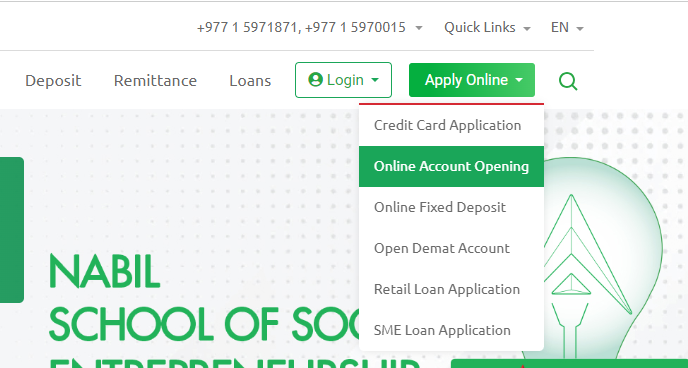
2. Navigate to the Online Account Opening Section
Once you are on the homepage, look for the “Online Account Opening” or “Open Account” option. This option is usually found under the personal banking or services section of the website. Clicking on this link will direct you to the online account opening portal.
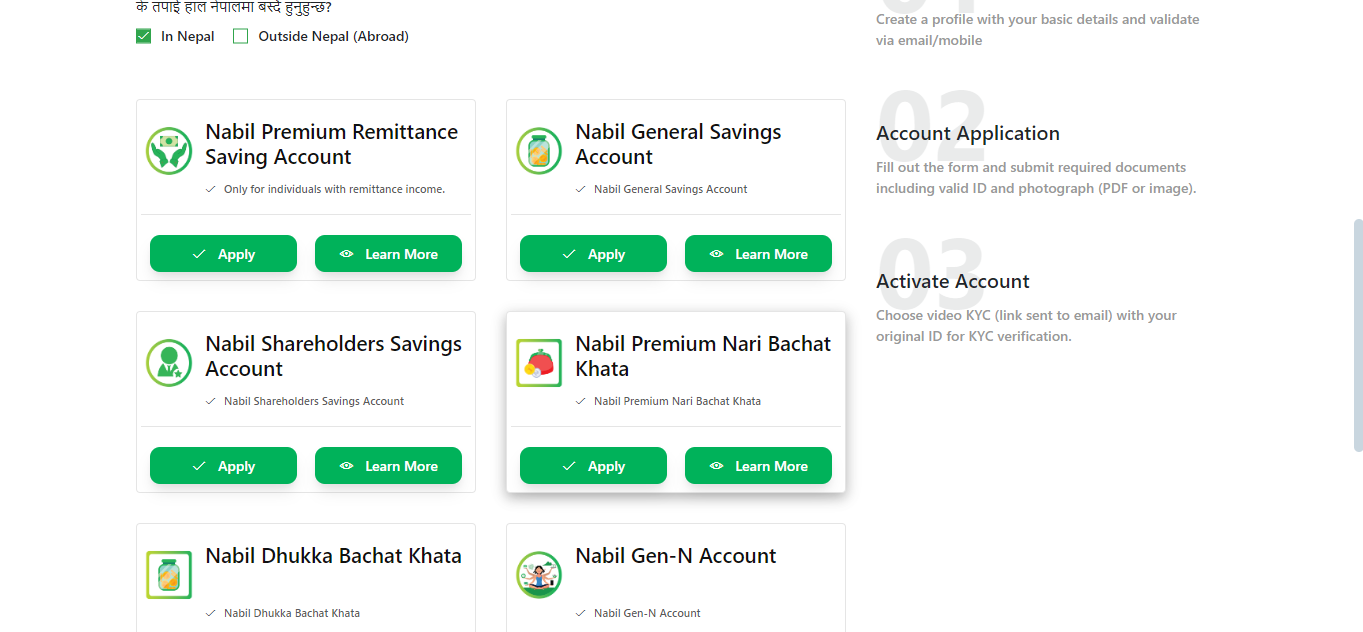
3. Select the Type of Account
Nabil Bank offers various types of accounts to cater to different needs. Before filling out the application form, you need to decide which type of account you want to open. Common options include savings accounts, current accounts, and fixed deposit accounts. Each type of account has its own features and benefits, so choose the one that best suits your financial goals.
4. Fill Out the Online Application Form
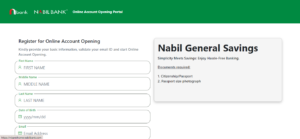
After selecting the type of account, you will be directed to the online application form. This form requires you to provide personal information such as your name, address, contact details, date of birth, and occupation. Ensure that all the information provided is accurate and up-to-date, as this will be used for verification purposes.
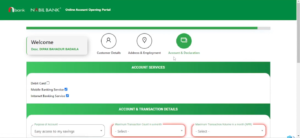
5. Upload Necessary Documents
To complete the application process, you will need to upload scanned copies of certain documents. These typically include:
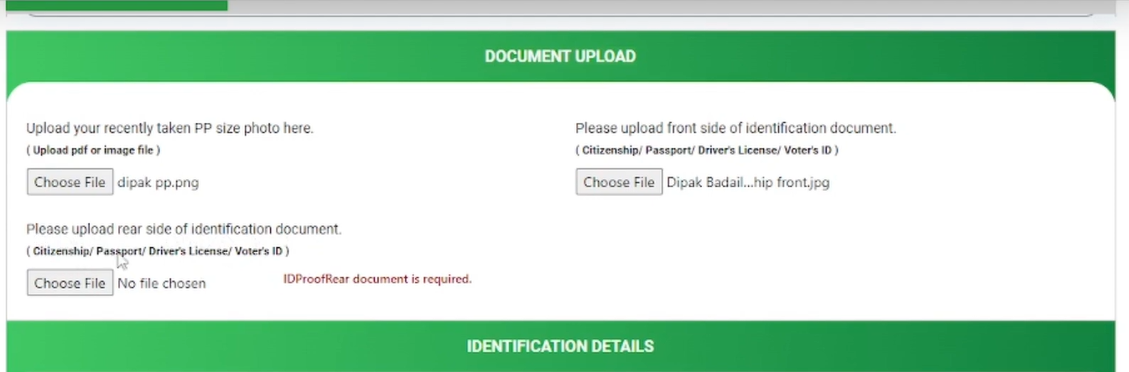
- A recent passport-sized photograph
- A copy of your citizenship certificate or passport
- Proof of address (such as a utility bill or rental agreement)
- PAN card (if applicable)
Make sure that the scanned copies are clear and legible to avoid any delays in the verification process.
6. Review and Submit the Application
Before submitting the application, take a moment to review all the information and documents you have provided. Double-check for any errors or omissions. Once you are satisfied that everything is in order, click the “Submit” button to send your application to the bank.
7. Verification Process
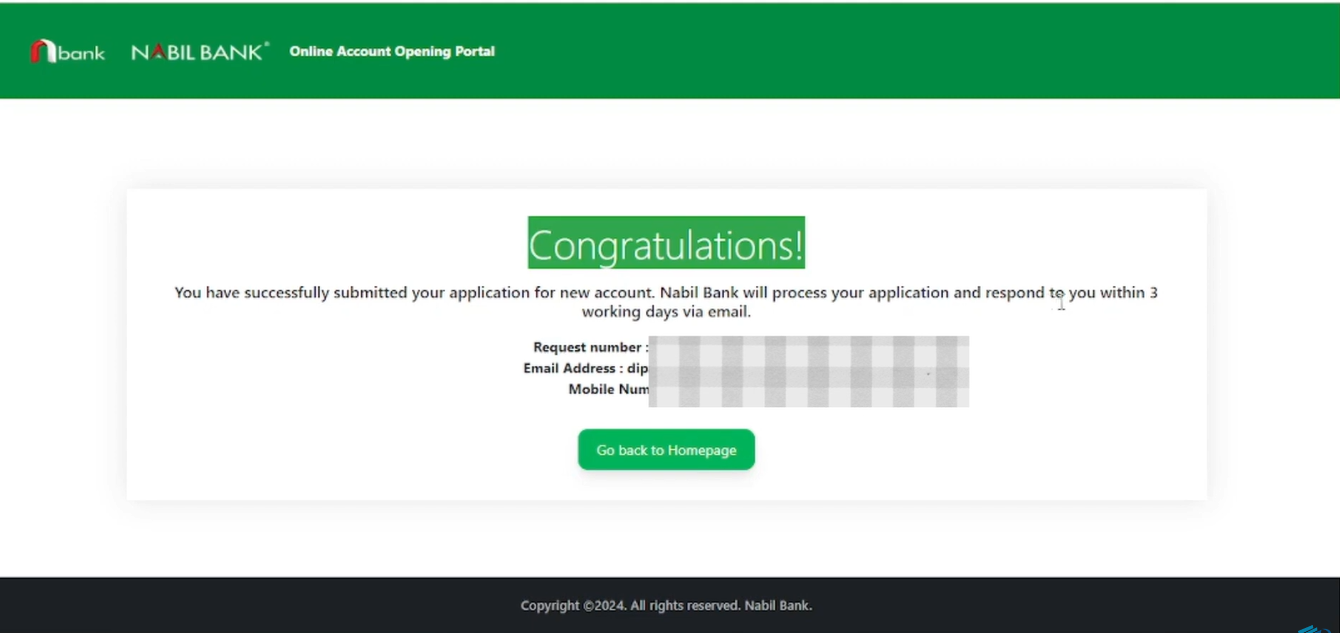
After submission, Nabil Bank will review your application and verify the details and documents provided. This process may take a few days, during which you might receive a call or email from the bank for further verification. It is important to respond promptly to any requests for additional information.
8. Account Activation
Once your application is approved and verified, you will receive an email or SMS notification with your account details. In some cases, you may need to visit the nearest branch to complete any remaining formalities or to collect your welcome kit, which may include your account number, debit card, and other relevant information.
9. Access Your Account Online
With your account now active, you can log in to Nabil Bank’s online banking portal or mobile banking app to manage your account. These platforms offer a wide range of services, including fund transfers, bill payments, account statements, and more, all at your fingertips.
Additional Tips for a Smooth Experience
- Keep Documents Ready: Before starting the application process, ensure that all the required documents are scanned and ready for upload.
- Accurate Information: Provide accurate and up-to-date information to avoid any issues during the verification process.
- Contact Customer Support: If you encounter any problems or have questions during the application process, do not hesitate to contact Nabil Bank’s customer support for assistance.
- Visit a Branch (if needed): Be prepared to visit a branch if required to complete the account opening process.
Conclusion
Opening an online account with Nabil Bank is a straightforward and convenient process. By following the steps outlined in this guide, you can easily open an account from the comfort of your home. Nabil Bank’s commitment to providing innovative and customer-centric banking solutions ensures that your online account opening experience will be smooth and efficient. Whether you are looking to save, manage daily transactions, or invest, Nabil Bank has the right account for you. Start your banking journey with Nabil Bank today and take advantage of their extensive range of financial services.
Top 5 FAQs About Opening an Online Account with Nabil Bank
1. What types of accounts can I open online with Nabil Bank?
You can open savings accounts, current accounts, and fixed deposit accounts online.
2. What documents are required to open an online account?
You need a recent passport-sized photo, citizenship certificate or passport, proof of address, and a PAN card (if applicable).
3. How long does it take to open an online account?
The process usually takes a few days after submitting your application and documents.
4. Do I need to visit a branch to complete the account opening process?
Mostly no, but you may need to visit a branch for KYC verifications, or you can also video call using the provided link or final formalities or to collect your welcome kit.
5. How do I access my account once it’s opened?
You can log in to Nabil Bank’s online banking portal or mobile app to manage your account.
https://www.youtube.com/watch?v=HjGM0U1xfYE&t=135s