

Why Pay NEA Electricity Bill Online from Khalti?
There are many reasons you should consider paying electricity bills from Khalti. Some of them include:
- Pay at any time and any day between 10:00 AM to 11:59 PM.
- Receive cash back and other promo codes for discounts.
- Save on payments, making it easier to pay the bill next time.
How to Pay the Electricity Bill from Khalti?
There are multiple ways to pay NEA electricity bills online from Khalti. You can do so using your smartphone as well as your PC. It is a very simple and similar method using both devices. Here, we will discuss and guide you through both of these methods.
Pay the Bill Using your Smartphone
It is a very simple process to pay electricity bills from Khalti using your smartphone. The method is the same for Android as well as iPhones. For that, first of all, you need to create and verify your Khalti account. You can download the app for Android from here or for iPhones from here if you do not have the app. To pay your NEA electricity bill online from Khalti using your smartphone, follow the steps given below:
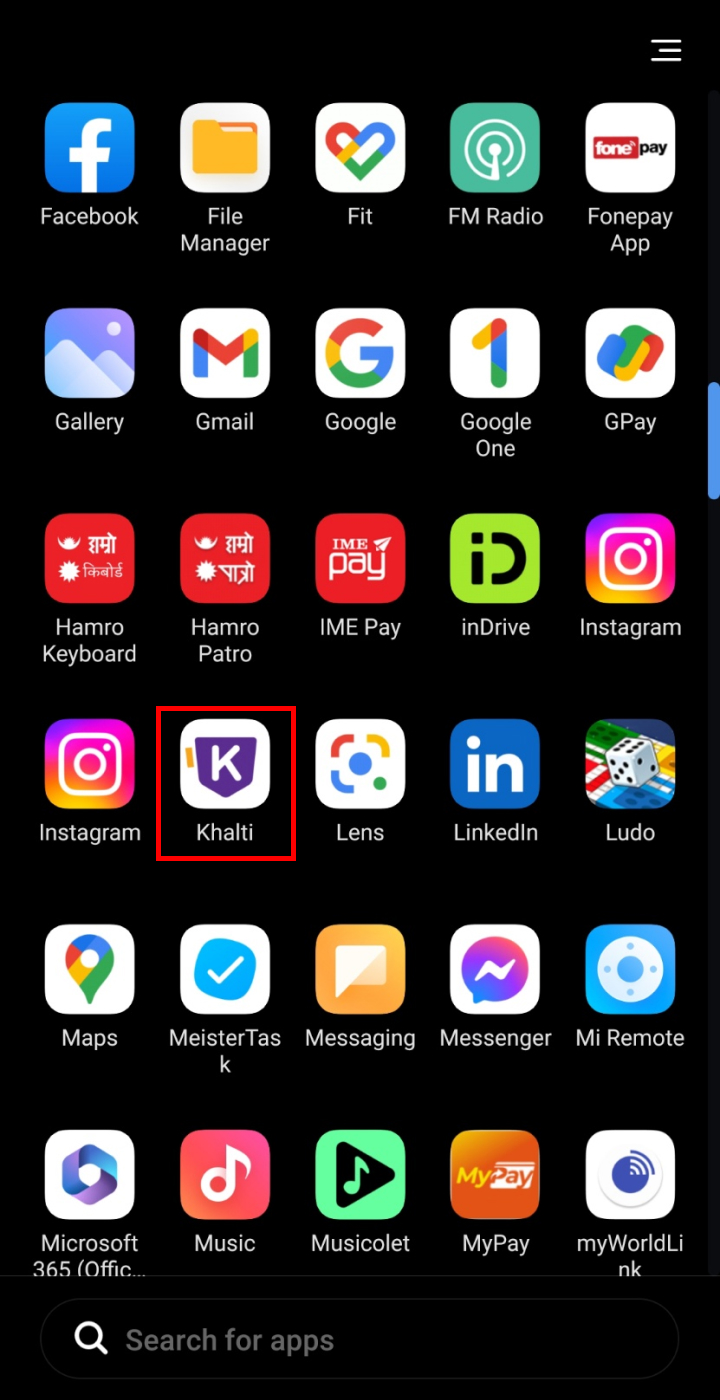
- Open the Khalti application on your smartphone.
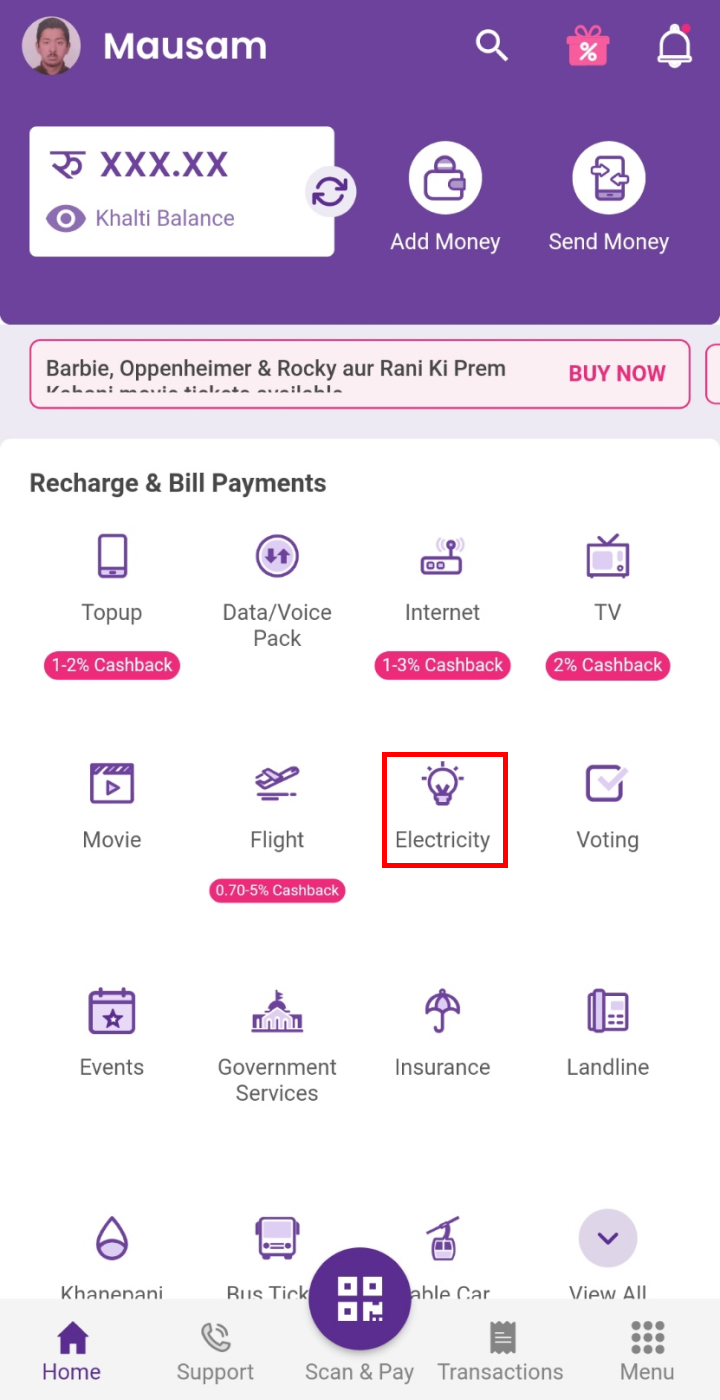
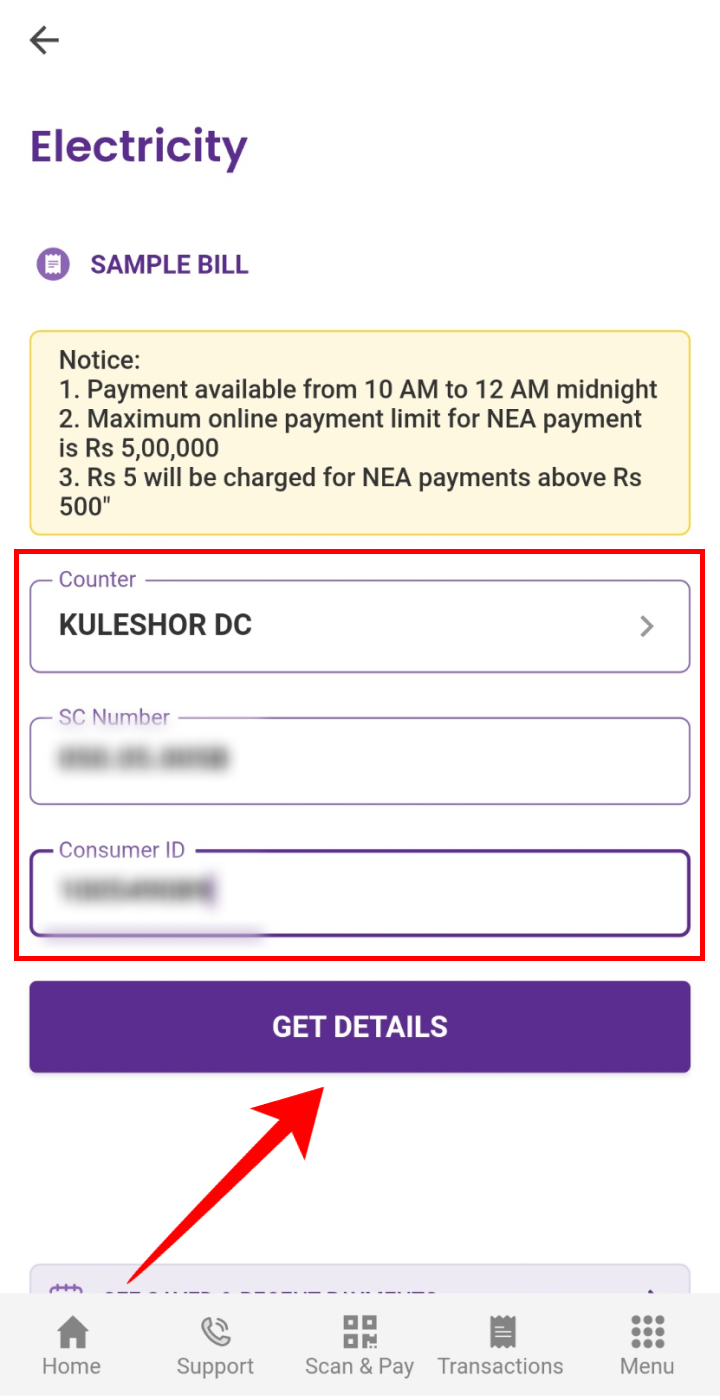
- Tap on ‘Electricity’.
- Choose the counter, enter SC Number and Consumer ID, and click on ‘GET DETAILS’.
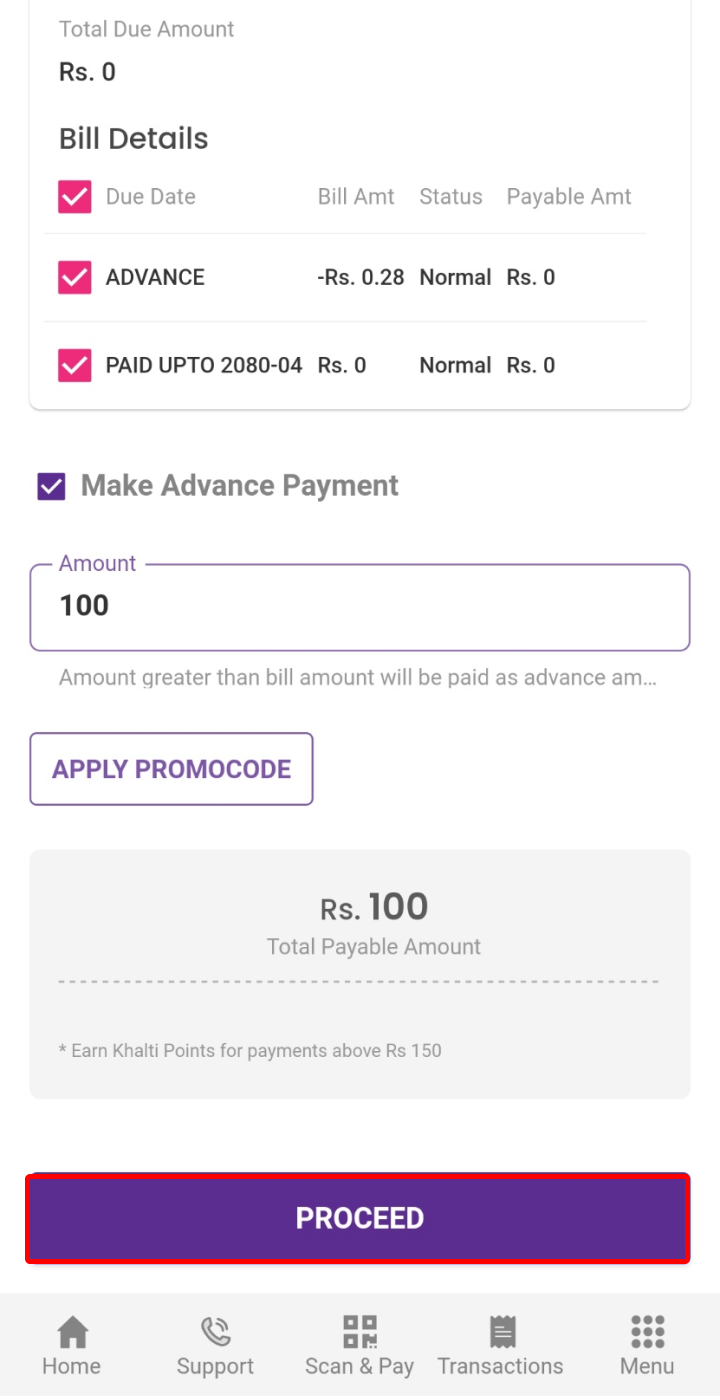
- Confirm the details and click on ‘PROCEED’.
- Select from where you want to pay the amount and click on ‘Pay’.
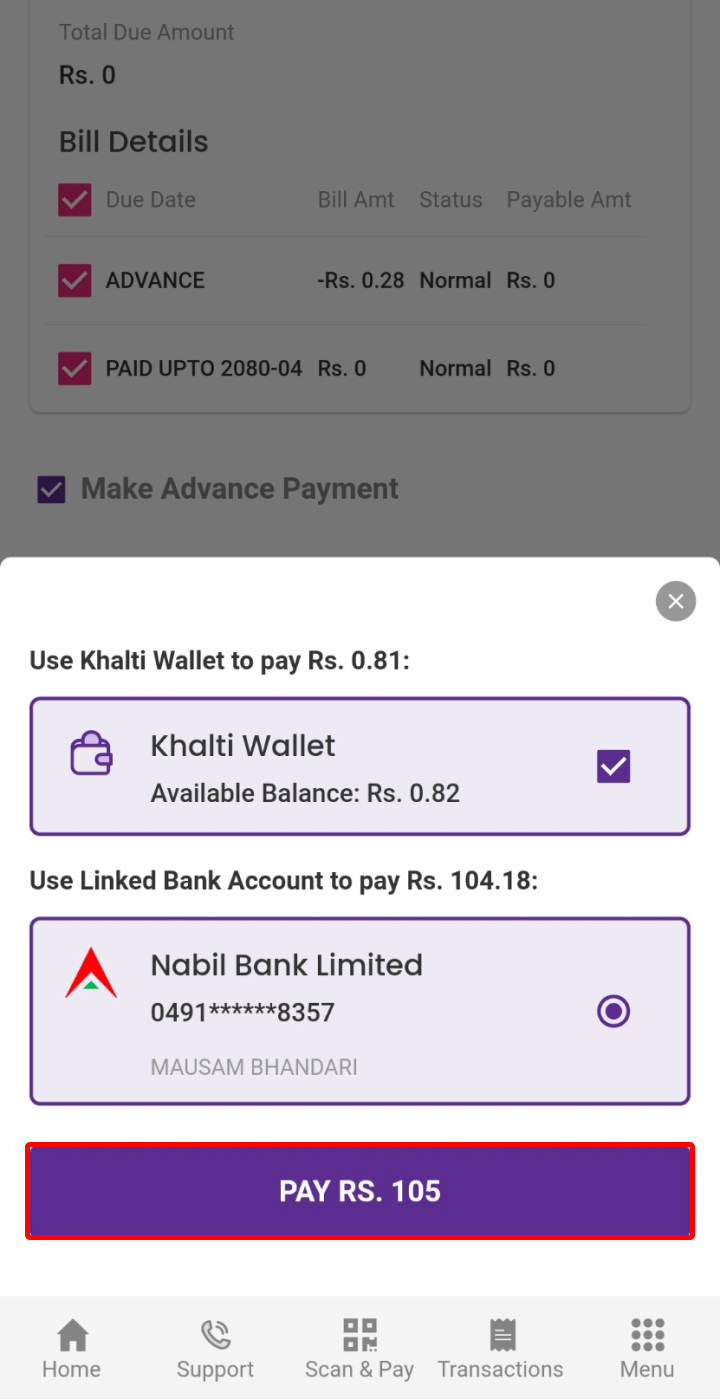
So, by following these steps above you will be able to pay electricity bill from Khalti. The same method is applicable to Androids as well as iPhones.
Pay the Bill Using Your PC
You can also pay the electricity bill from Khalti using a PC. The same process is applicable to all browsers. To pay the NEA electricity bill online from Khalti follow the steps below:
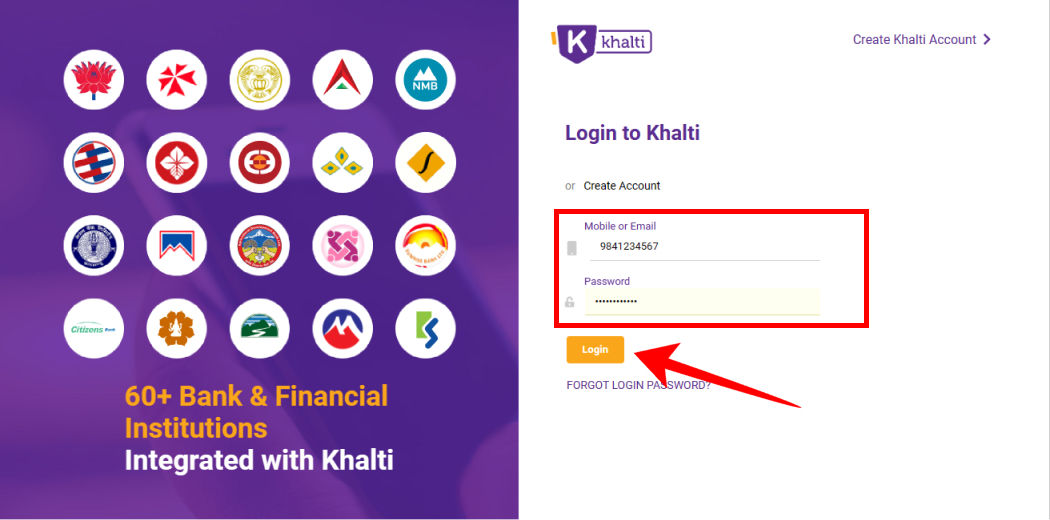
- Open the Khalti website and tap on ‘Login’.
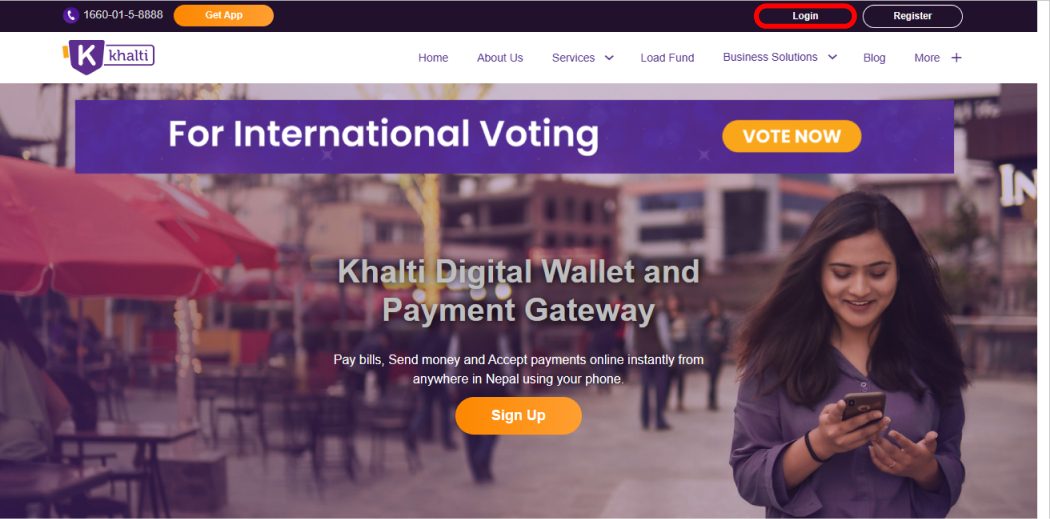
- Enter your email/ phone number and password and tap on ‘Login’.
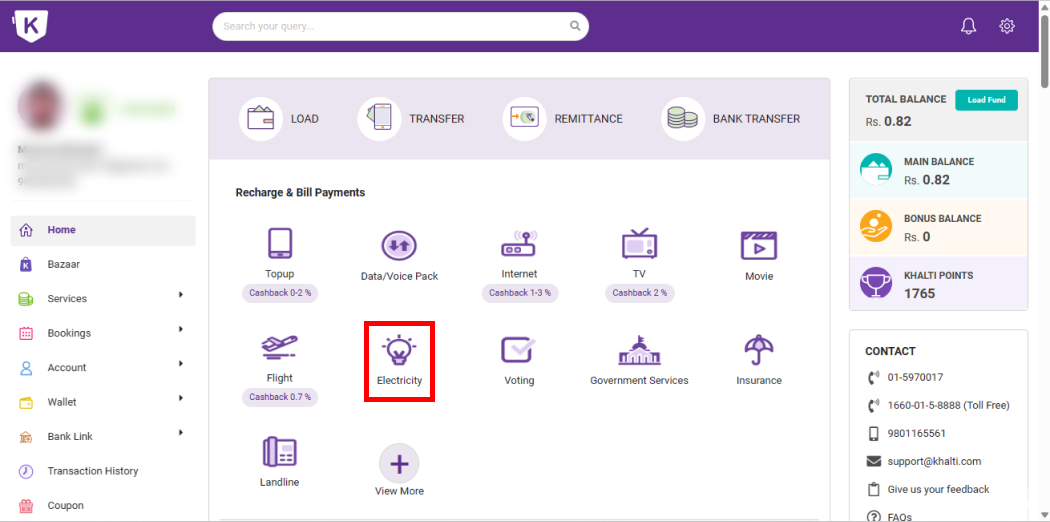
- Click on ‘Electricity’.
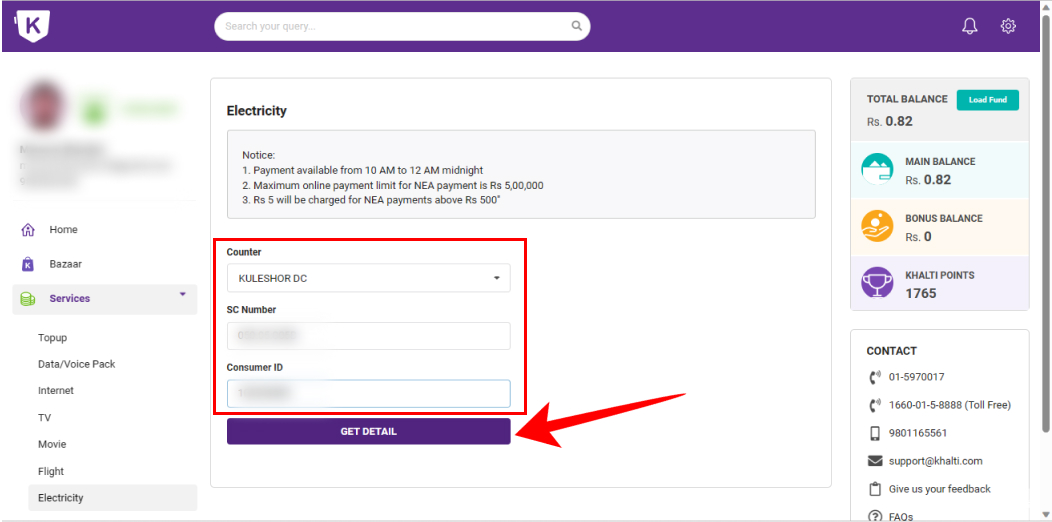
- Select the counter, type the SC number and Consumer ID and tap on ‘GET DETAIL’.
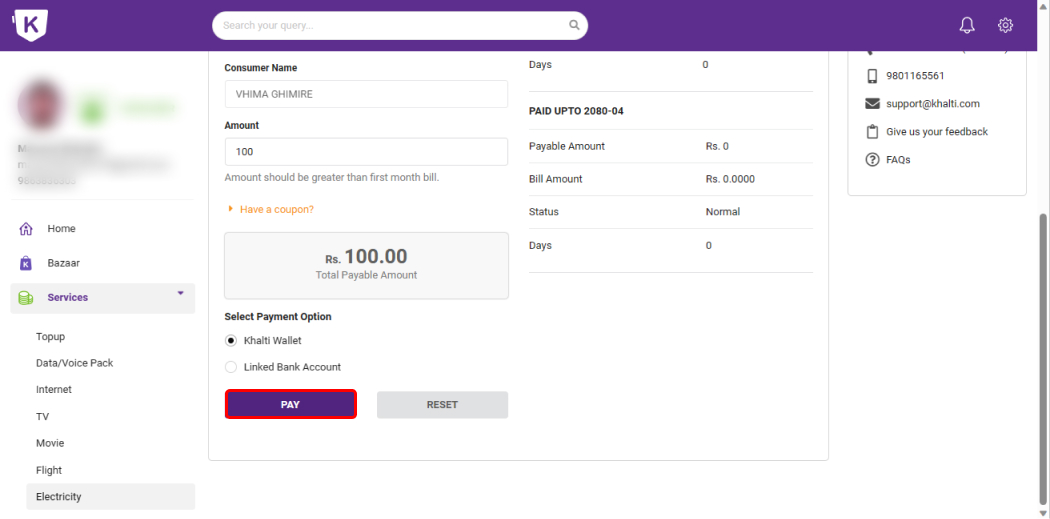
- Confirm the details, choose the Payment Option, and click on ‘PAY’.
- Tap on ‘Continue’ after verifying all the details.
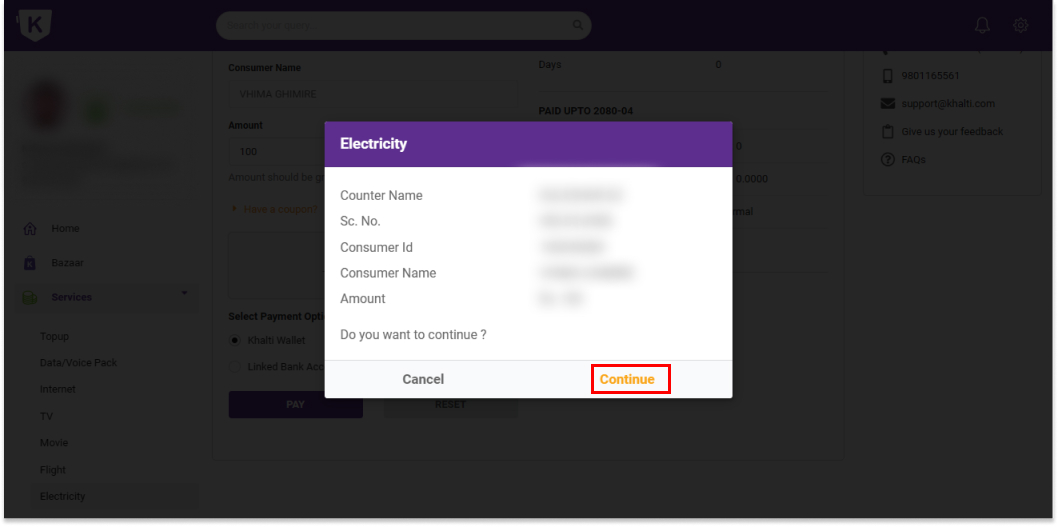
You can complete the electricity bill payment through Khalti on your PC by following the steps above.
Conclusion
Paying your electricity bill through Khalti is a convenient and secure way to manage your utility payments. We hope this guide helps you understand how to pay your NEA electricity bill online using Khalti. By following this step-by-step guide, you can easily make timely electricity bill payments. If you have any queries, feel free to leave your comments below or contact Khalti customer support.
Frequently Asked Questions (FAQs)
Why is Khalti not showing the payable amount even after receiving the bill from NEA?
Khalti might not show the amount because it requires 2-3 days to update the database. It may also not show the payable amount if you have already paid the bill in advance.
How much does Khalti charge to pay the electricity bill?
Khalti charges a service fee of Rs. 5 per transaction for NEA electricity bill payments. This fee covers the cost of processing the transaction and providing customer support. However, there is no service charge for paying Community Electricity bills through Khalti.
When can I pay the electricity bill through Khalti?
You can pay your electricity bill through Khalti at any time between 8:00 AM and 11:59 PM, even on Saturdays and public holidays, from the comfort of your home.
Read Also: