


Do you buy and sell shares online regularly? If you are a stock market investor in Nepal, you know that your Mero Share account needs to be renewed annually. Renewing your account ensures you can continue to trade shares and participate in IPOs.
The process to renew your Mero Share account is simple, with several methods available. In this article, we’ll guide you through renewing your account online, via mobile banking, and at a bank branch.
When Should You Renew Your Mero Share Account?
While it is mandatory to renew your DEMAT account every year, renewing your Mero Share account is optional. You can renew it anytime you want to continue using Mero Share.

How to Renew Your Mero Share Account
There are multiple ways to renew your Mero Share account. You can renew it online using the Mero Share website, digital wallets, mobile banking, and more. Alternatively, you can renew your account offline by visiting a bank branch. Here, we will discuss all these methods.
Method 1: Renew the Account Using the Mero Share Website
The first and easiest way to renew Mero Share account online is by visiting their website. You can renew your MeroShare and Demat accounts from this website. In order to renew the account follow the steps given below:
- Open the MeroShare website.
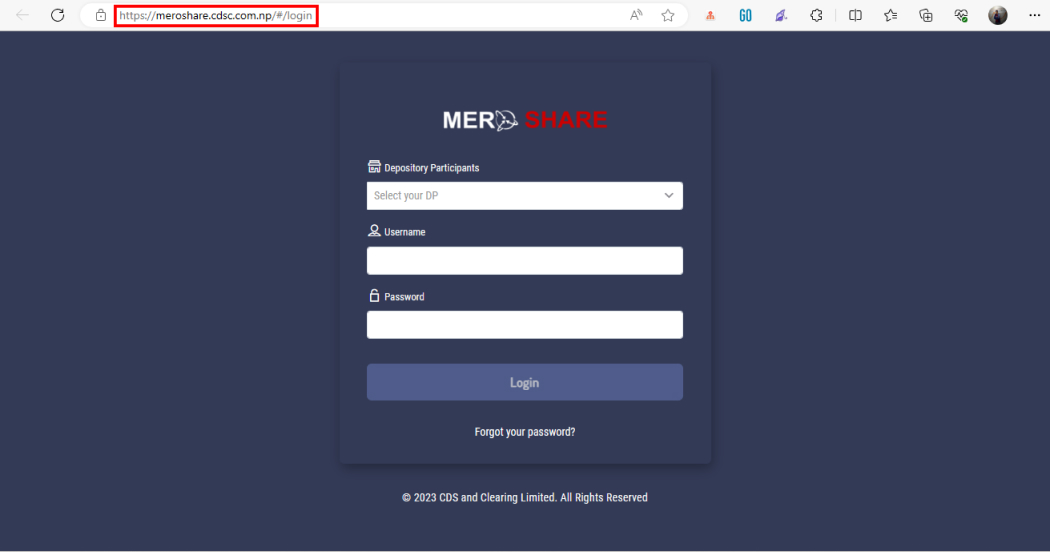
- Login to your account by selecting your DP and entering your username and password.
- Tap on ‘Mero Share Profile’ at the top right-hand corner of the dashboard.
- Click on the tab that says ‘Renew Account’.
- Choose the payment method you want to use.
- Log in to the system where you selected to proceed with the payment.
So, by following these steps you will be able to update your account using the Mero Share website.
Method 2: Renew the Account Using the Merchant Bank’s Website
If you open your Mero Share account through banks, you will be able to renew your account through their website as well. For example, if you opened your account from Global IME bank, you will able to renew the account from Global Capital Limited’s website. To do so, follow the steps below:
- Open the website of the depository participant of the merchant bank.
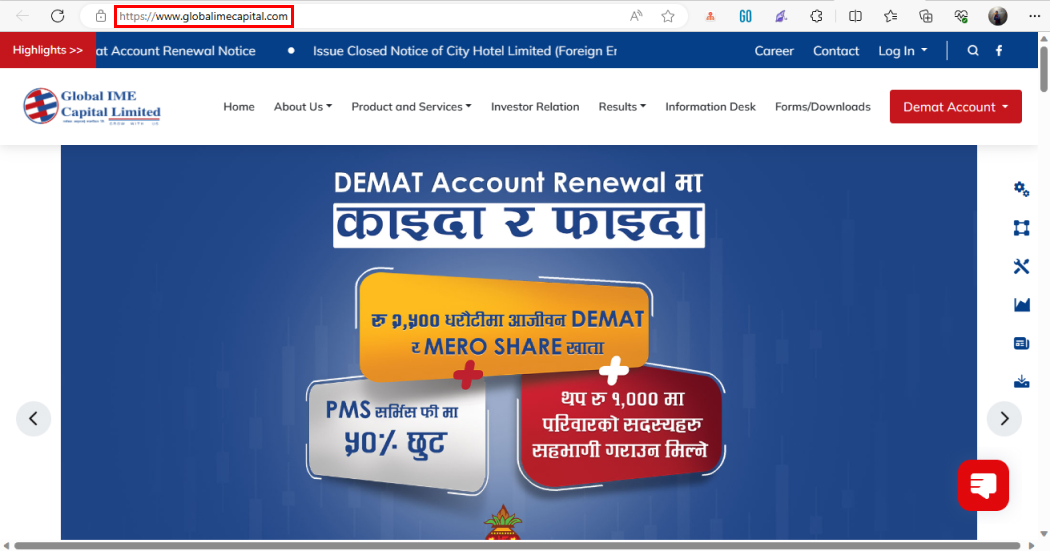
- Click on ‘Renew Mero Share’, ‘Mero Share Renewal’, or something similar.
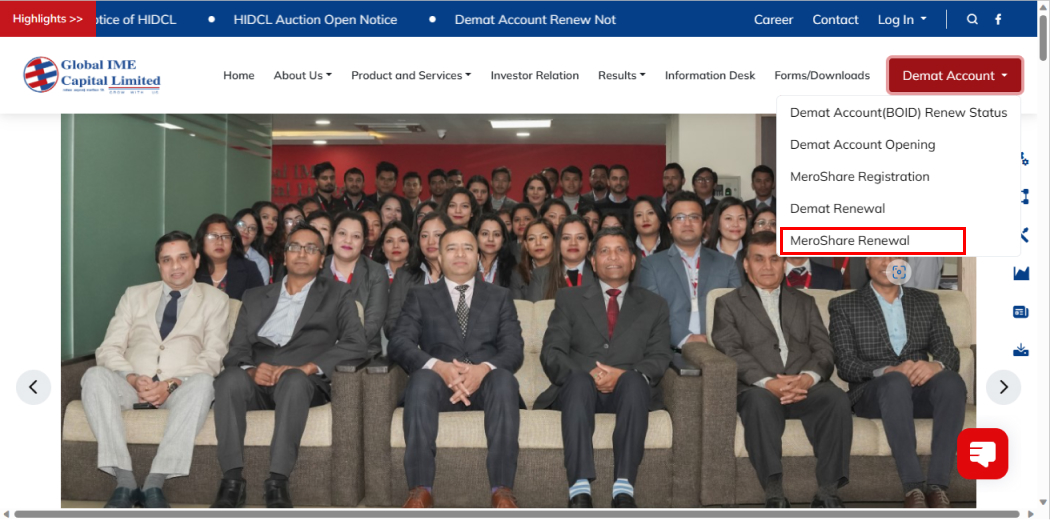
- Enter your details and click on ‘Submit’.
- You will be redirected to the e-banking where you can proceed with the payment.
You will be able to renew your Mero Share account online by following these steps above. However, you can not use these methods for all banks. So, ensure that your bank provides this facility before following this method.
Method 3: Renew the Account Using Digital Wallets
You can also renew your Mero Share account online by using digital wallets. Wallets like eSewa, and Khalti provide you with a method to renew the account easily. To renew the account using your digital wallets follow the steps below:
- Open the digital wallet of your choice like Khalti.
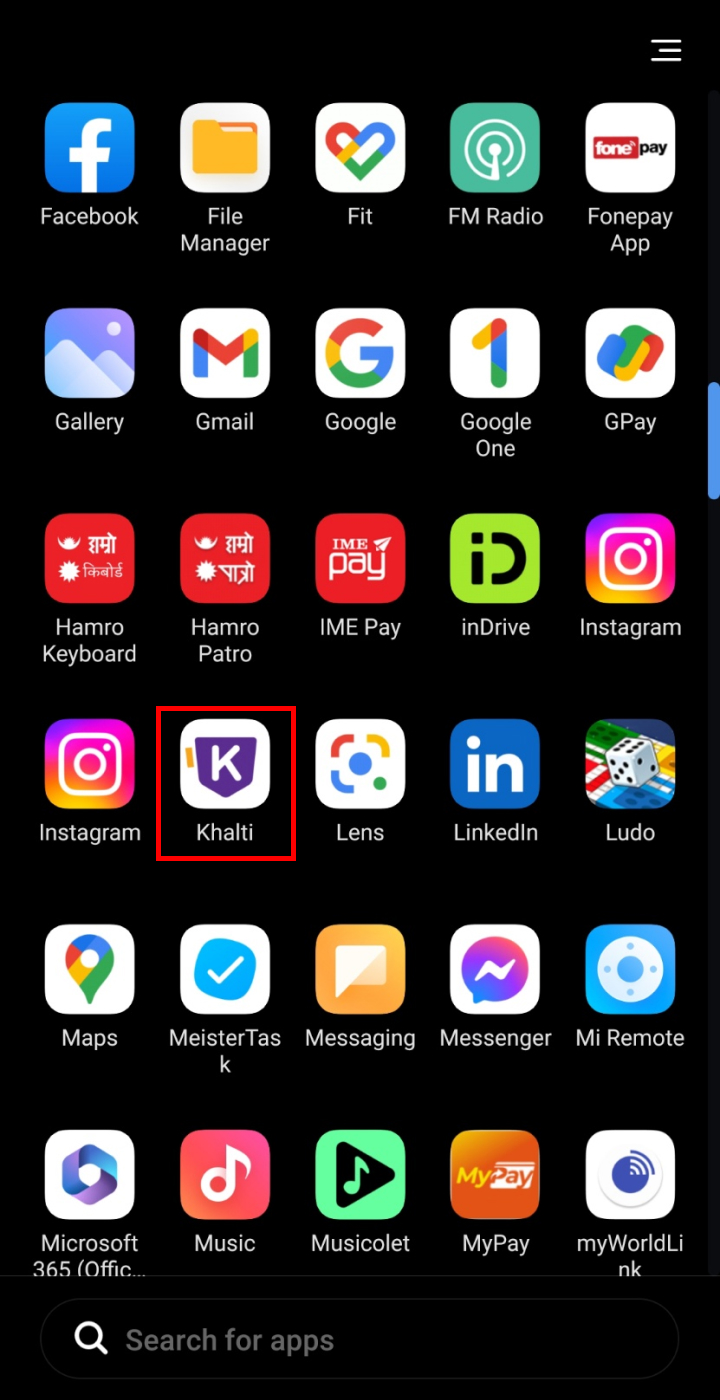
- Tap on ‘Financial Services’.
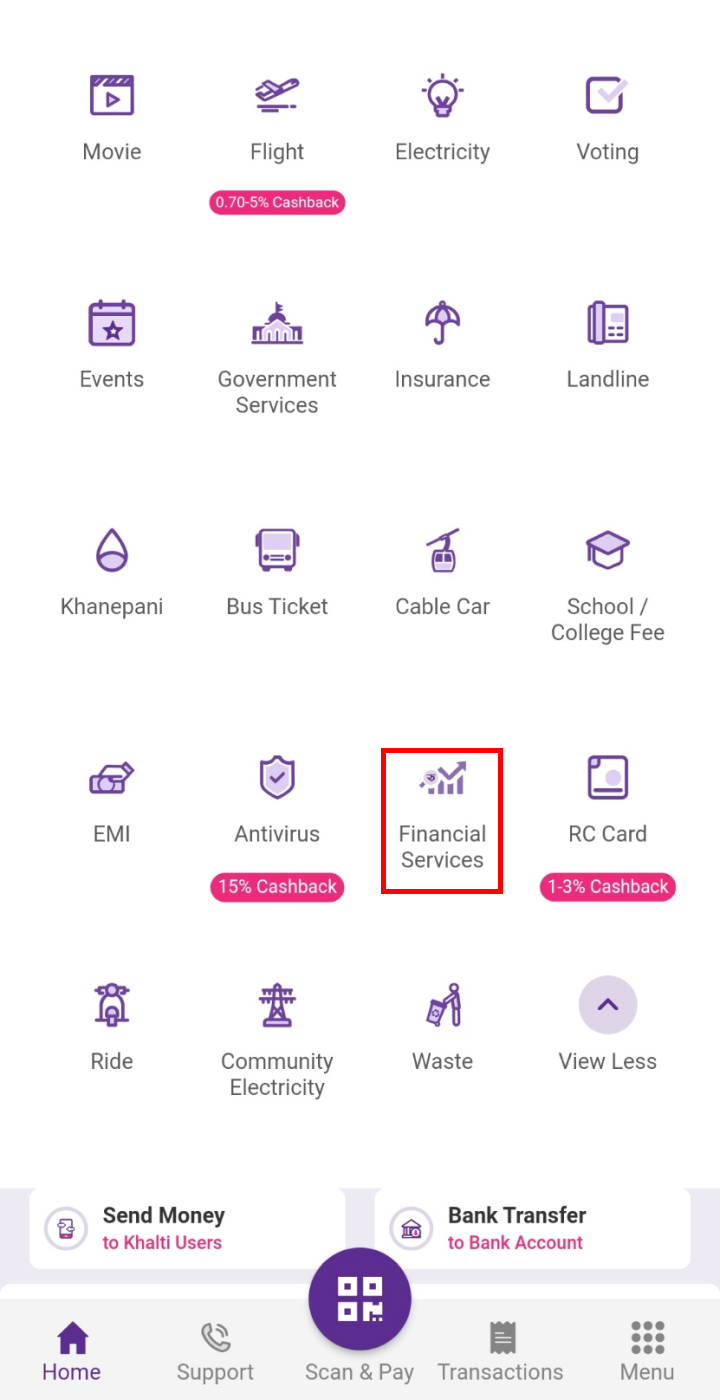
- Click on ‘DEMAT MeroShare’.
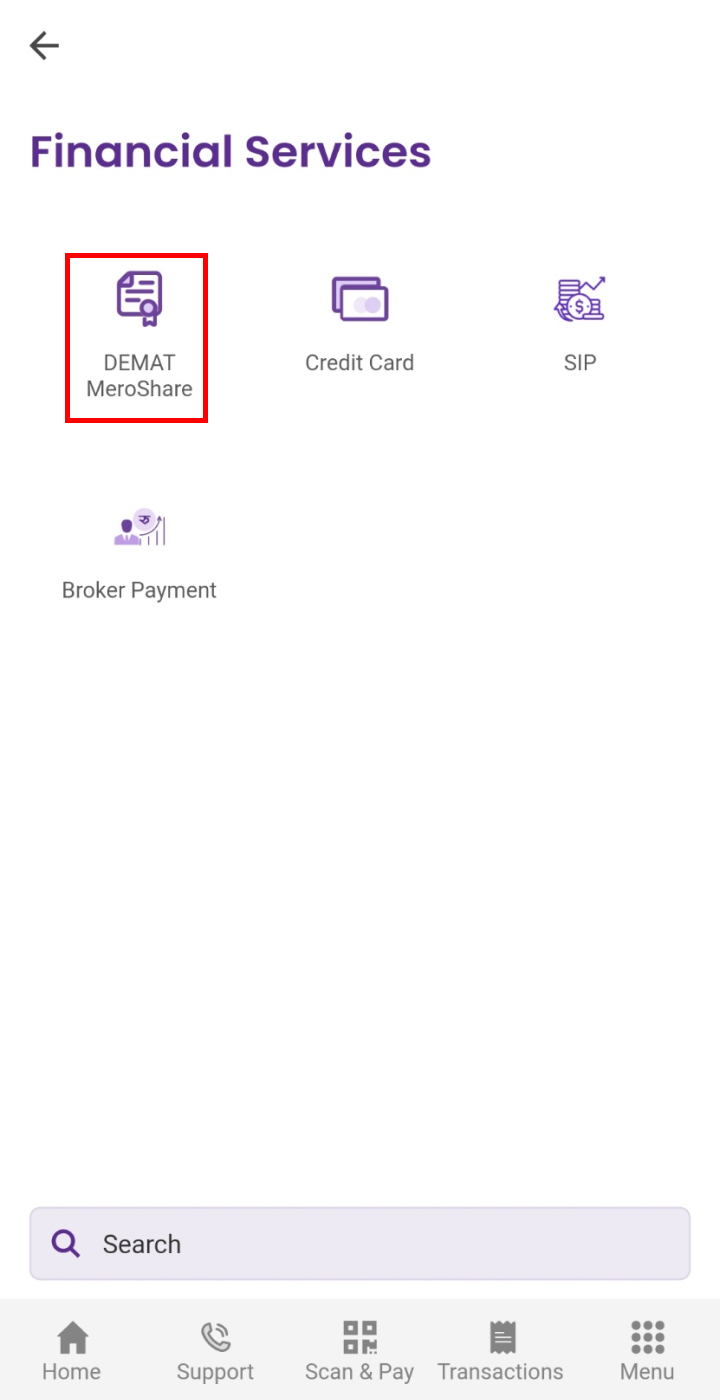
- Choose where you have the DEMAT account.
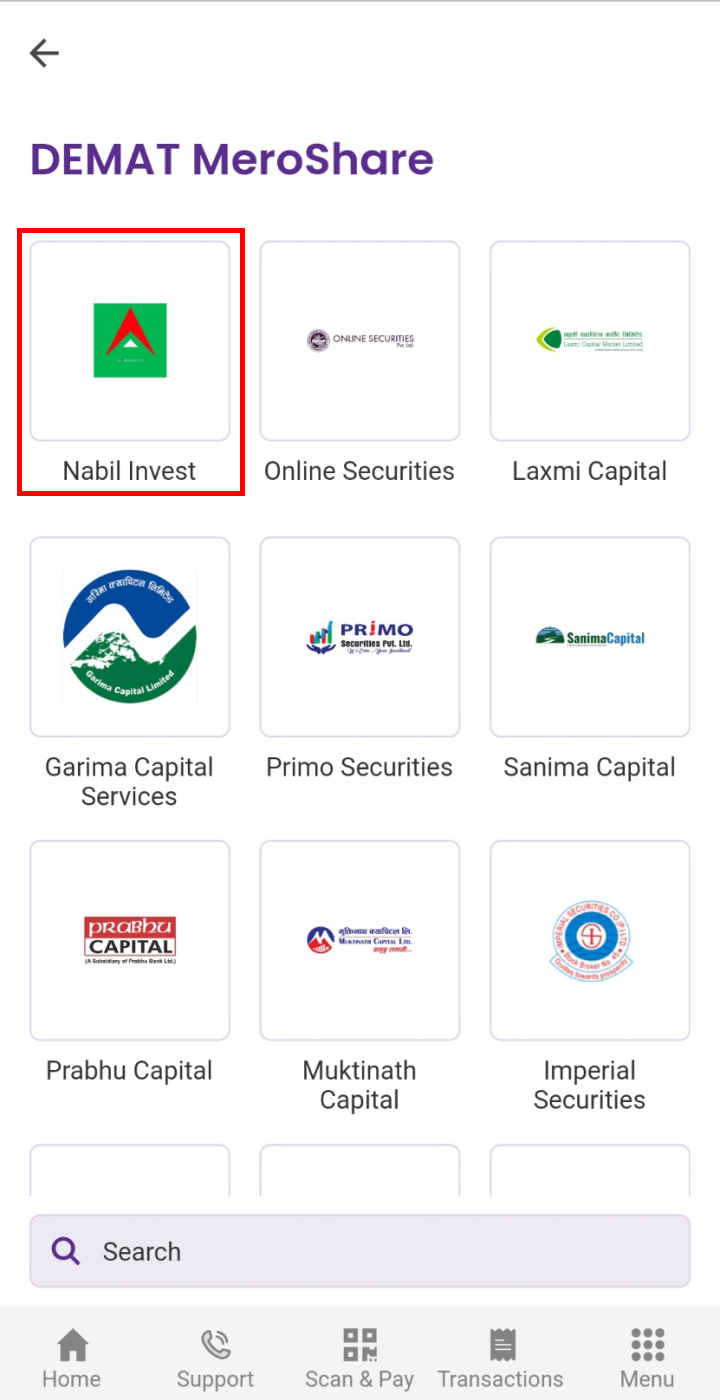
- Select your DP, enter your username and password, and click on ‘Login’.
- Proceed with the payment.
So, by following the steps above, you will be able to renew Mero Share account online using digital wallets.
Method 4: Renew the Account Using Mobile Banking
The next method to renew Mero Share account online is by using your mobile banking application. The apps provide the service under “Capital” or “Financial Market”. To renew your account follow the steps below:
- Open your mobile banking app and log in to the system.
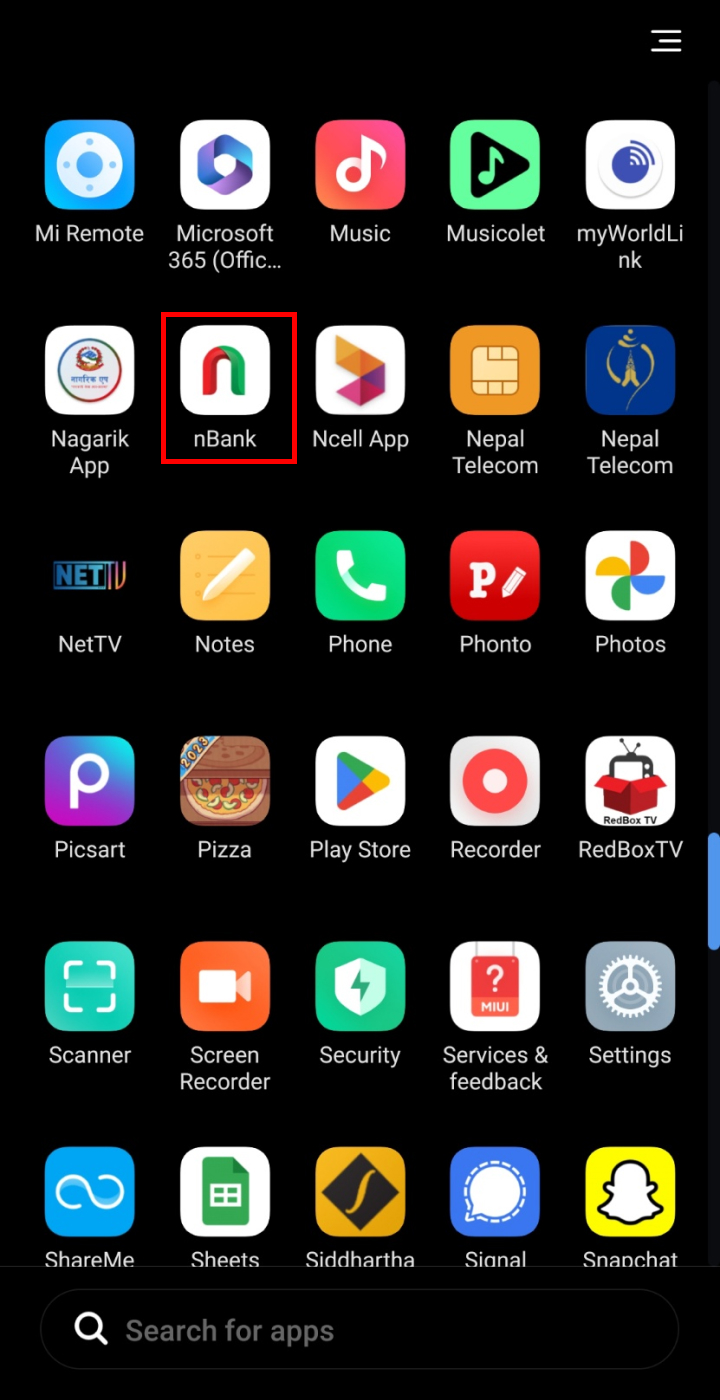
- Click on ‘Capital’.
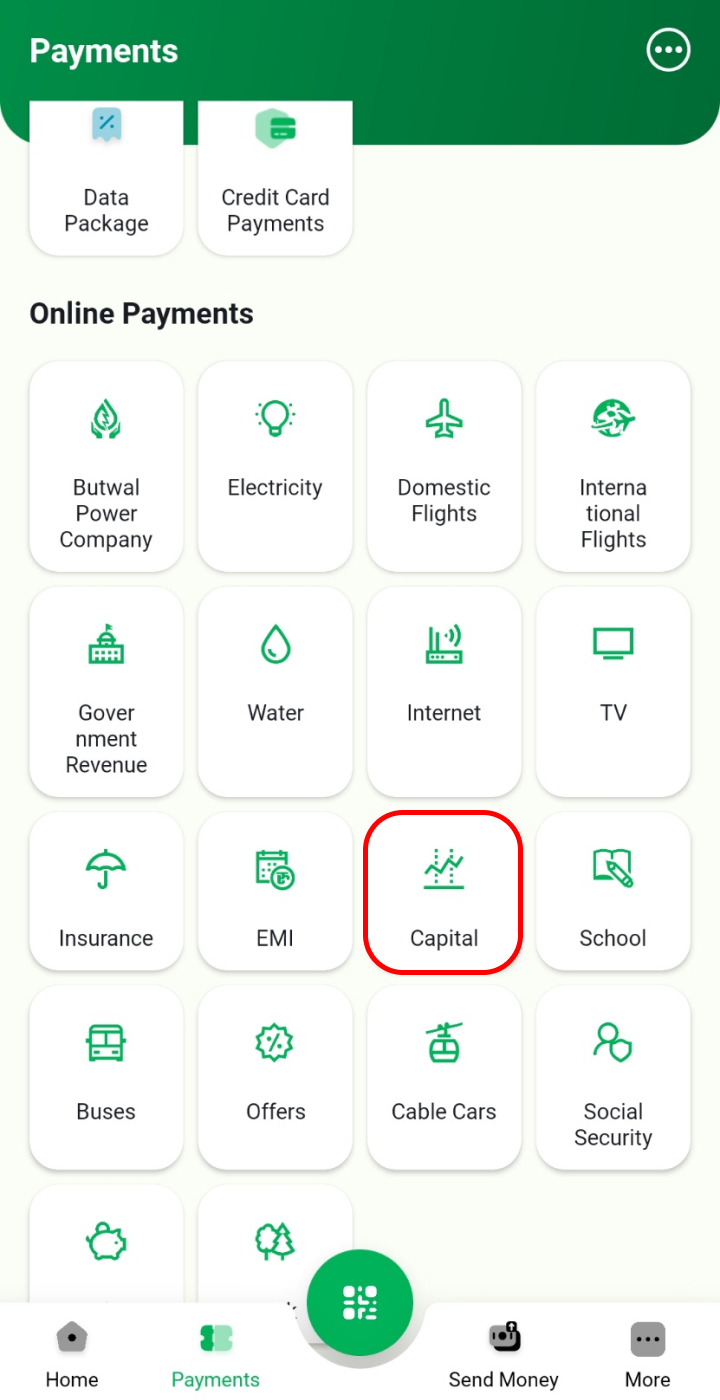
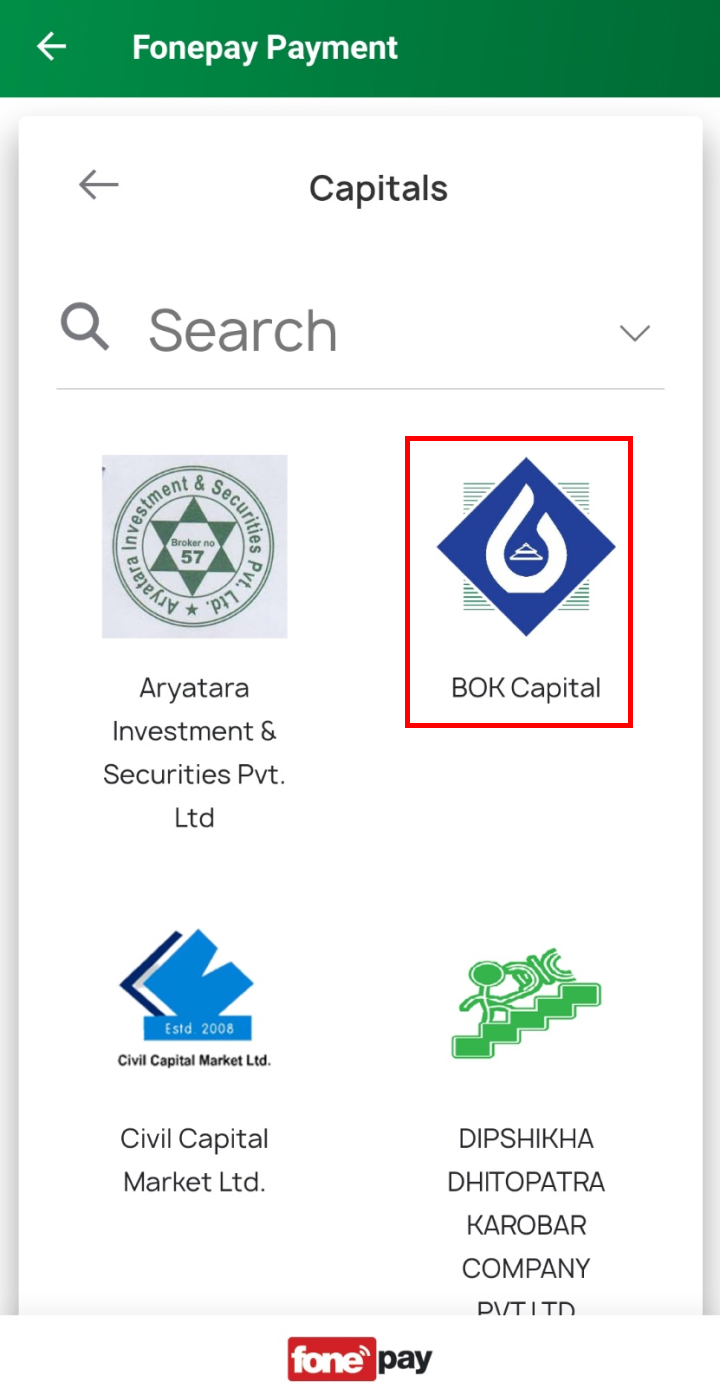
- Select the capital where you have the DEMAT account.
- Enter all the necessary information and click on ‘Proceed’ to complete the payment.
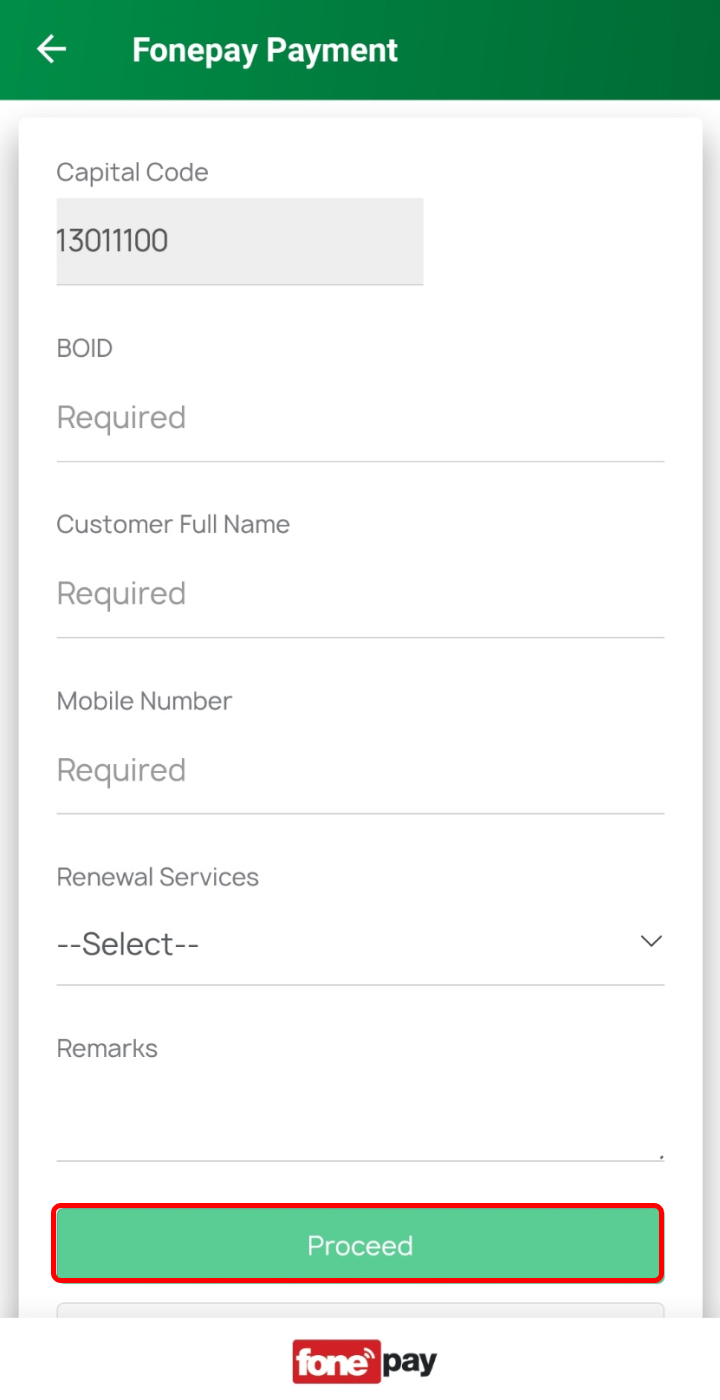
So, by following these steps you will be able to renew Mero Share online using mobile banking.
Method 5: Renew the Account Using Connect IPS
You can renew your Mero Share account using Connect IPS. Before you start, ensure your bank account is linked to Connect IPS. Follow these steps to renew your account:
- Open Connect IPS and log in.
- Click the “Financial Institution” option and select “Capital Market.”
- Choose “Meroshare Fee” for the renewal.
- Enter the required details, including your DP provider and name.
- Tap on “Transfer” and enter your OTP code to complete the process.
By following these steps, you can renew your account online using Connect IPS.
Method 6: Renew the Account By Visiting the Bank’s Branch
If you don’t have access to the Internet or mobile banking, you can renew your Mero Share account at a bank branch. Visit your bank branch and request to renew your Mero Share account. Bring your Mero Share ID and password and be prepared to pay the renewal fee in cash.
Conclusion
Renewing your Mero Share account is simple and can be done online or by visiting a bank branch. By following the steps outlined here, you can keep your account up-to-date and continue trading shares and participating in IPOs.
Frequently Asked Questions (FAQs)
How Much Does Renew My Mero Share Account Cost?
Renewing your Mero Share account costs Rs. 50 while renewing your Demat account costs Rs. 100.
Is it Compulsory to Renew Mero Share Every Year?
No, it is not compulsory to renew Mero Share every year. If you don’t want to do online trading, you don’t need Mero Share.
Will the Mero Share Account be Renewed Automatically?
No, the Mero Share Account will not be renewed automatically. You need to renew it manually before it expires. The account is valid for one year from the date of creation or last renewal.
Read Also: How to Apply for a Nepali Private Bank Vacancy